
Online booking
A branded customer flow for vehicle, service, coverage, availability, contact details, and booking summary.
Available in public betaFor independent window-tint and PPF shops
Quote by vehicle, coverage and package, then book against your shop's bays and installers. Keep customers, jobs and invoices connected after booking.
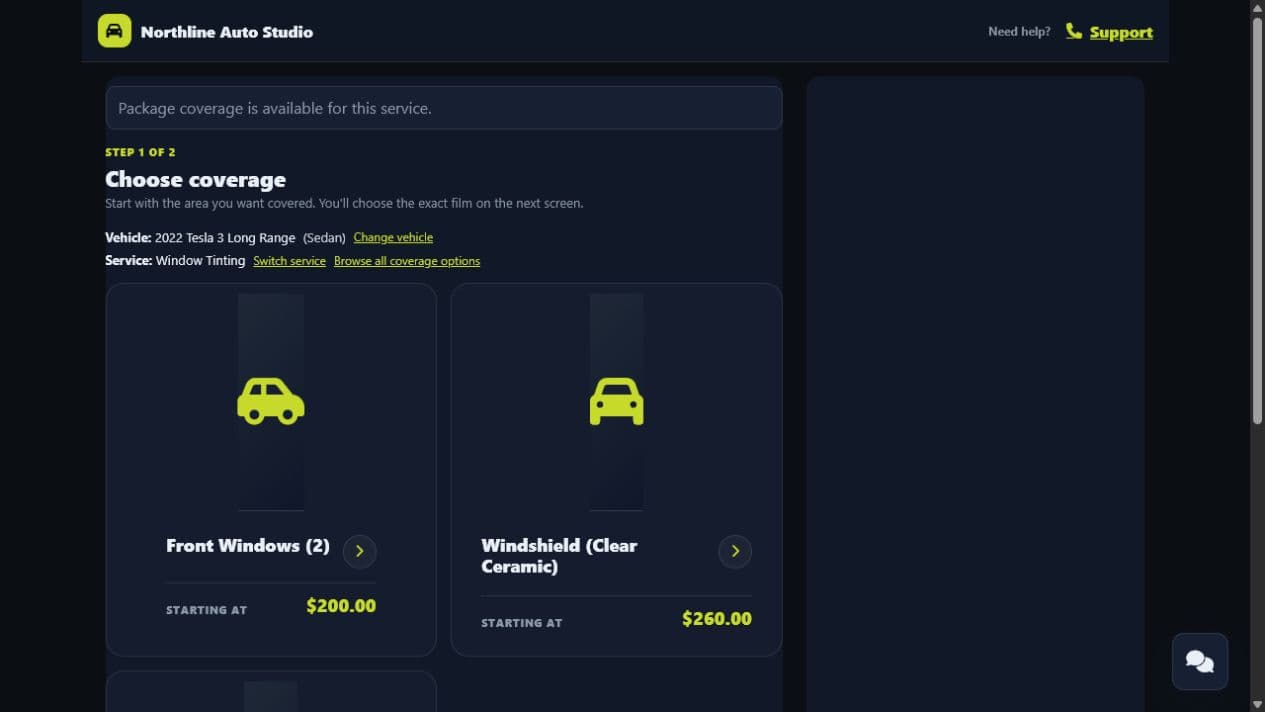
Actual DriveSuite booking screen · synthetic demo data
Simple pricing · public beta
No credit card required to start. Set up your shop, review your pricing and try your booking flow.
Start your 30-day free trialYour shop workflow
Explore each step using real DriveSuite screens. Services and availability reflect your shop configuration.
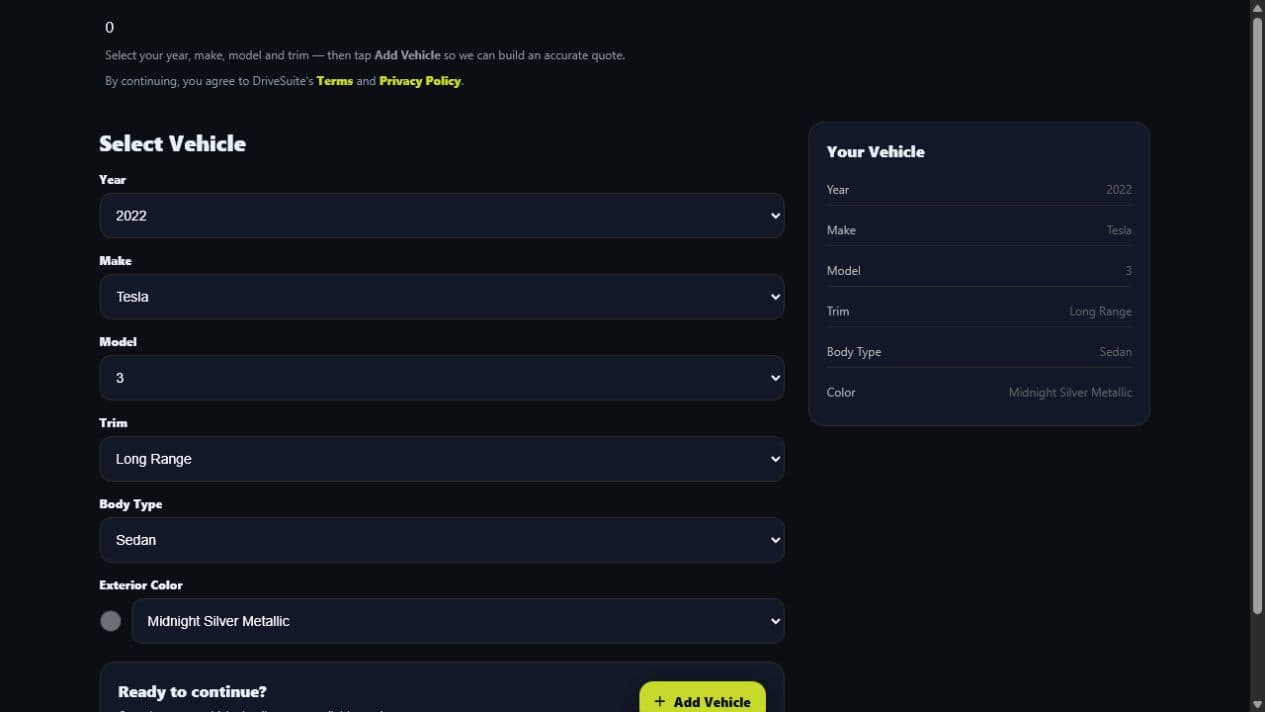
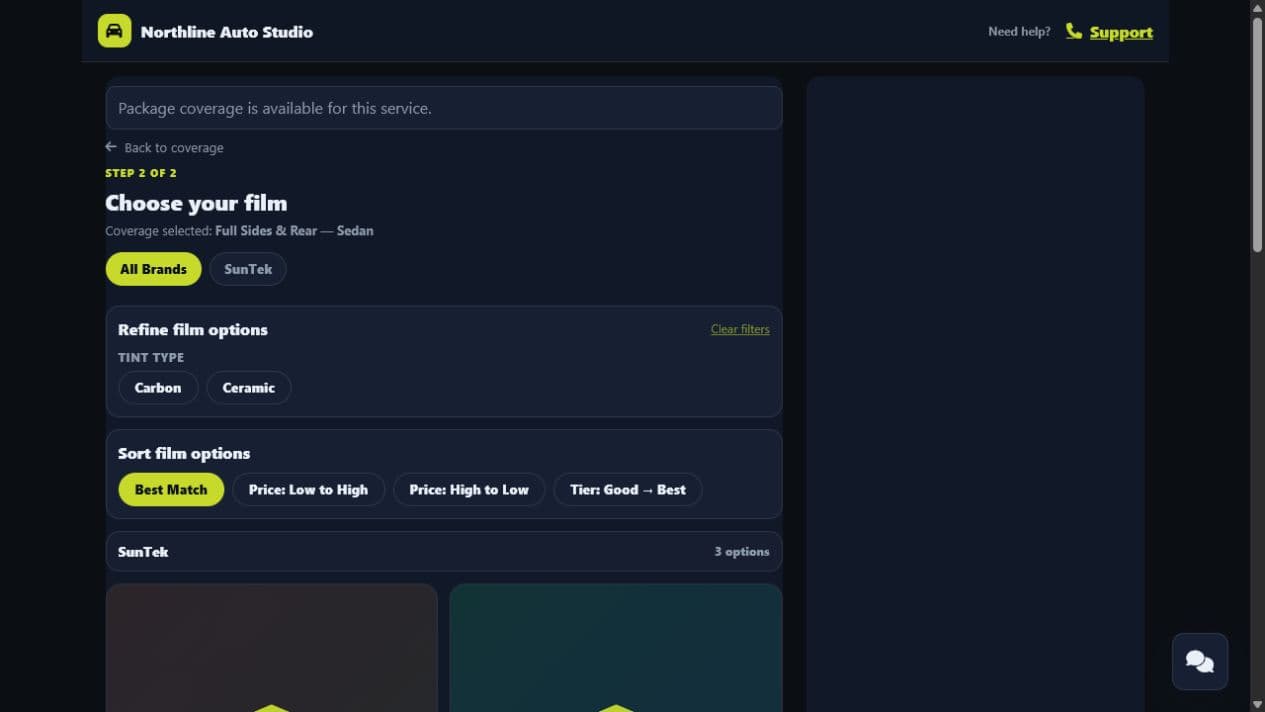
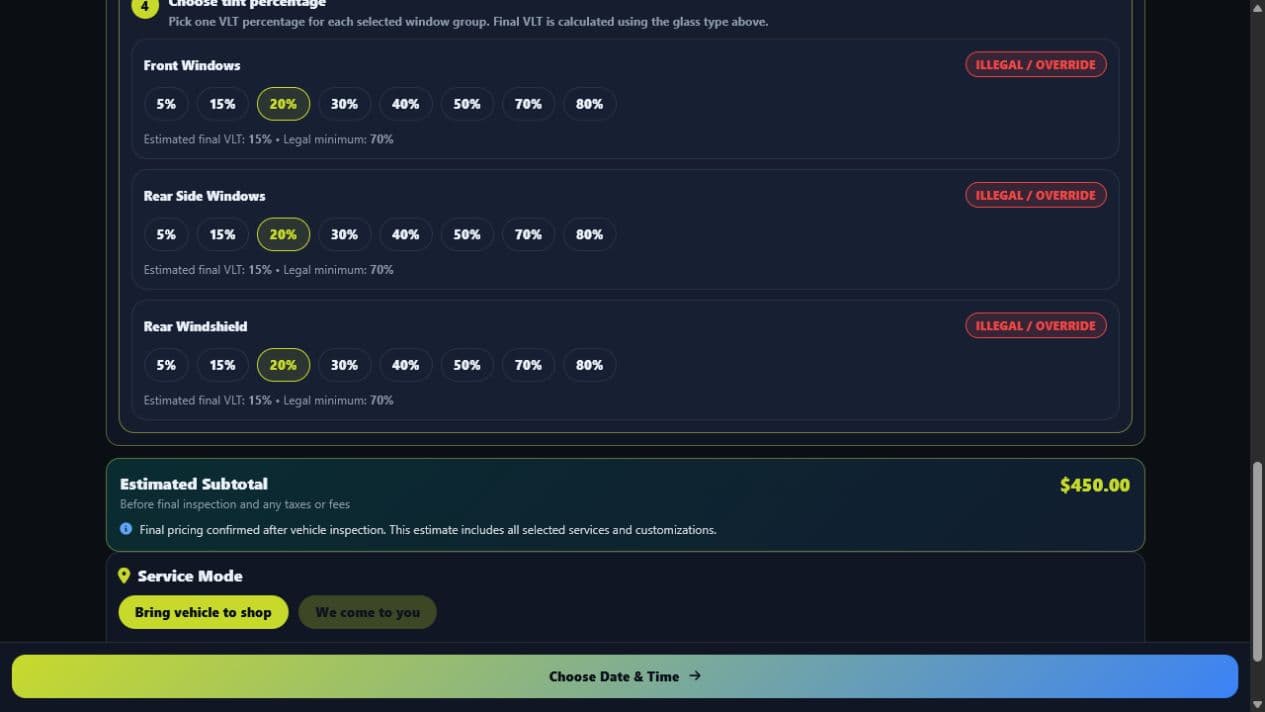
Classification: Sedan
Vehicle-specific flow ready
Watch DriveSuite in action
A quick look at vehicle selection, tint coverage, film choices and available times.
Synthetic demo data. Silent video with on-screen text and English captions.
Built for PPF & tint. DriveSuite brings vehicle-aware quoting and booking into one guided customer journey.
The vehicle comes first. Start with the exact year, make, model, trim and body style.
Make coverage clear. See the included windows for the selected sedan package.
Compare real choices. Film and finish prices stay together. With Industry Standard finish, this example shows $400 to $750.
Keep details in view. State, glass type and the unverified mirror assumption remain visible before shade selection.
Review before continuing. Coverage, finish, film, shades, price and warnings are gathered into one build review.
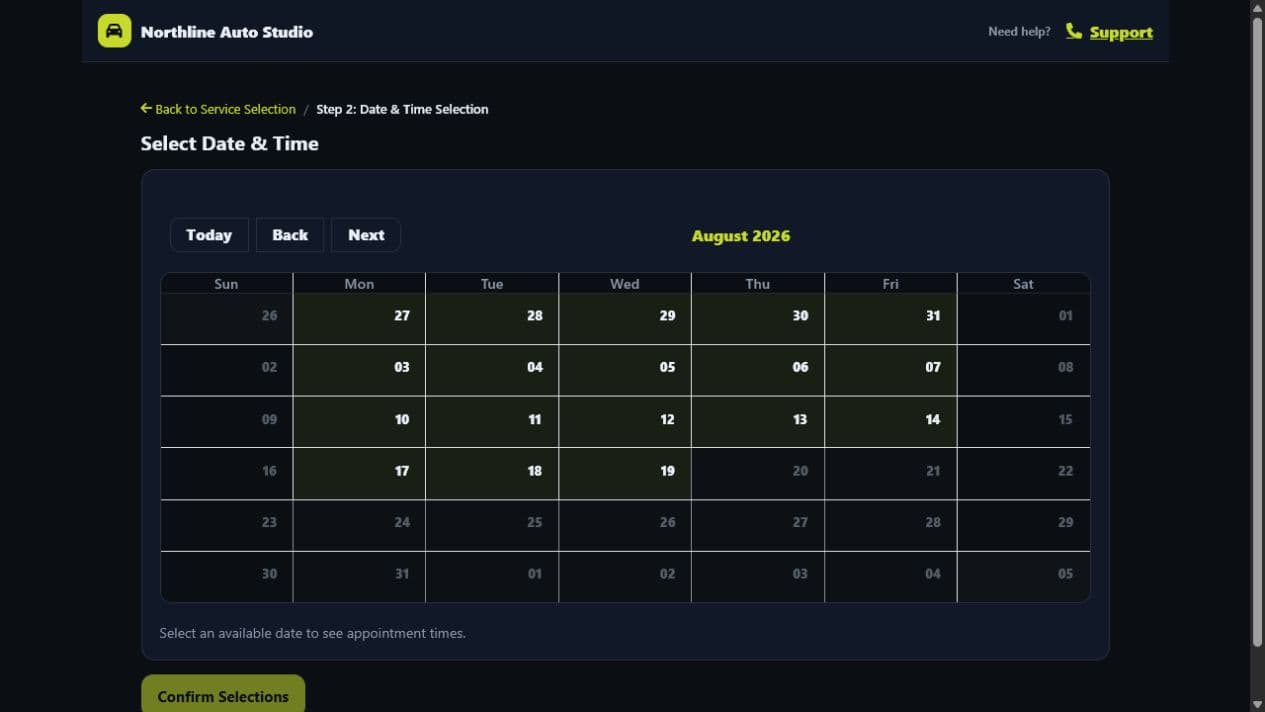
Find a time that is available. The demo loads current dates and time slots for the configured service.
See the full walkthrough. Watch the companion customer booking video for the complete flow. drivesuitecrm.com
The CRM baseline
DriveSuite connects standard CRM work to a deeper vehicle, coverage, pricing, and booking workflow.
A branded customer flow for vehicle, service, coverage, availability, contact details, and booking summary.
Available in public betaCarry quoted and completed work into estimates, invoices, deposits, balances, and public links.
Payment features where configuredAppointment, invoice, reminder, and review follow-up through configured communication providers.
Provider setup requiredConnect trackable booking links and scheduler behavior to lead timelines and conversion activity.
Analytics and replay are betaWhy DriveSuite is different
The selected vehicle can affect what the customer sees and what the job costs.
Let customers compare your configured tint and PPF coverage, films, and packages.
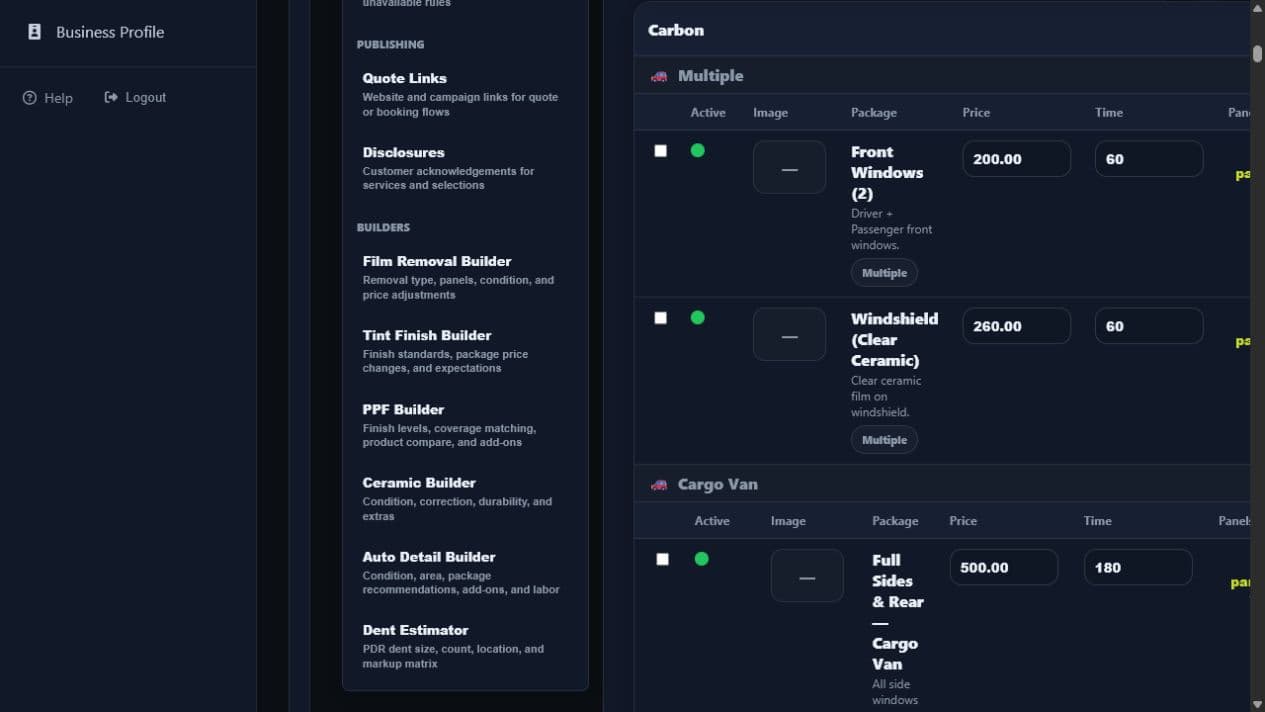
Packages, panels, labor, add-ons, square-foot paths, and vehicle rules can feed one quote.
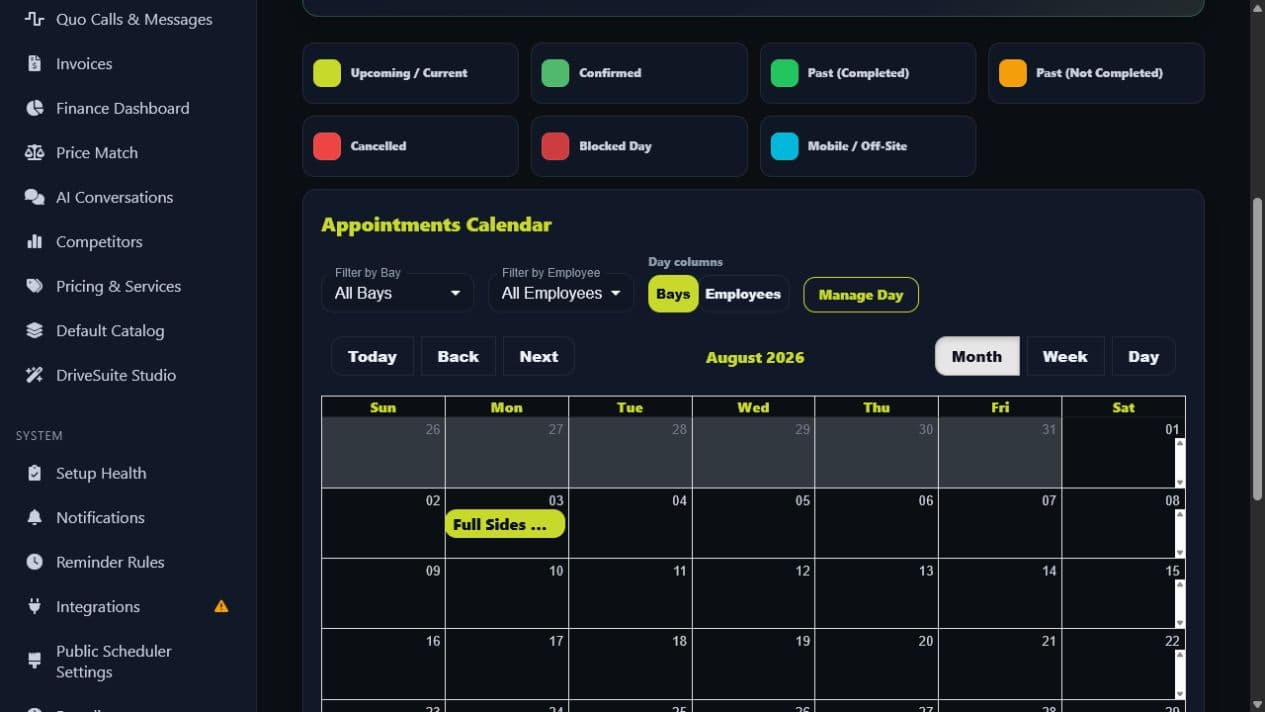
Employees, bays, service duration, and longer work can participate in availability.
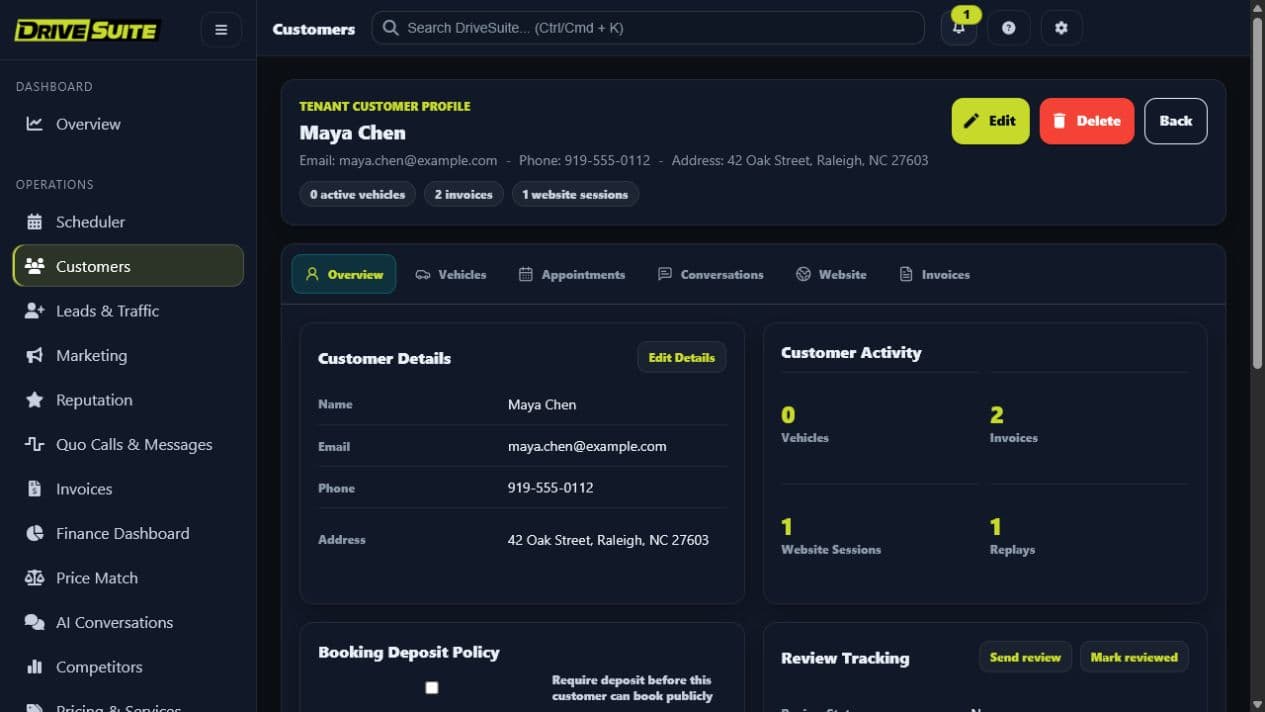
Booking data continues into customers, vehicles, appointments, invoices, notifications, and lead activity.
From quote to shop floor
These are real DriveSuite screens using synthetic demo data. The booking becomes a customer record, a scheduled job, an invoice, and trackable lead activity inside the same tenant.
Product availability and results depend on each shop’s configuration.
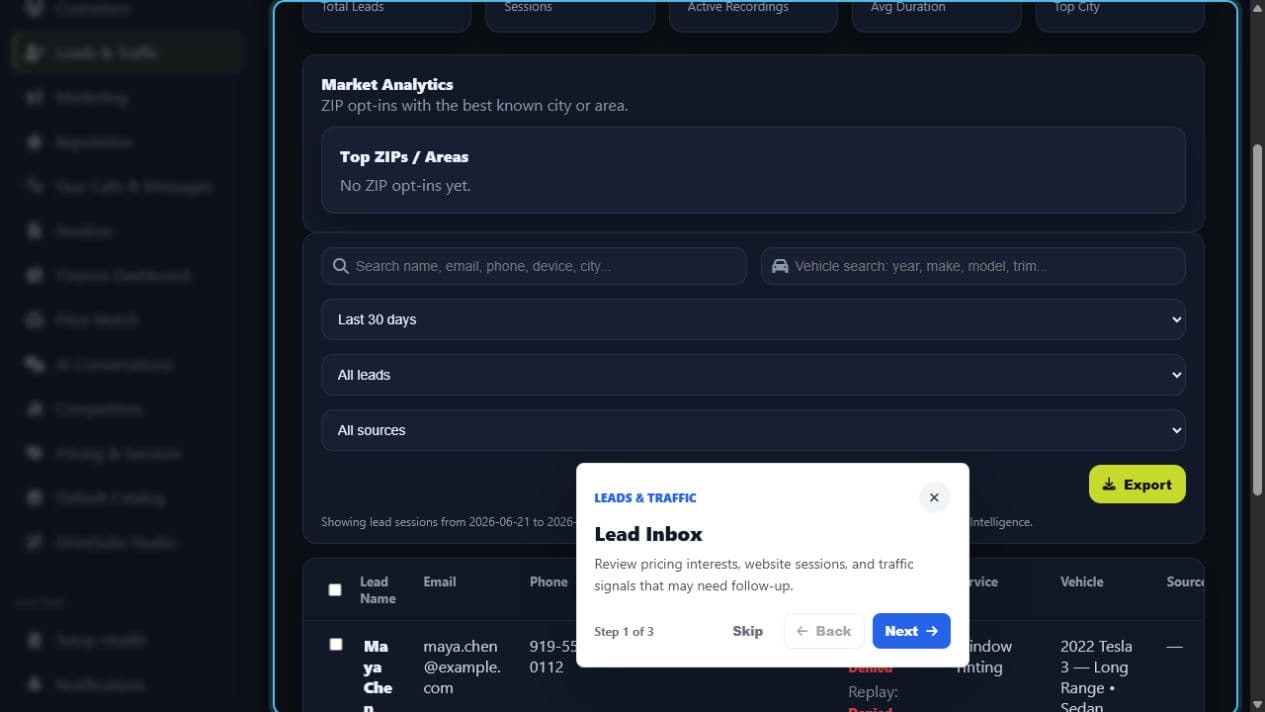
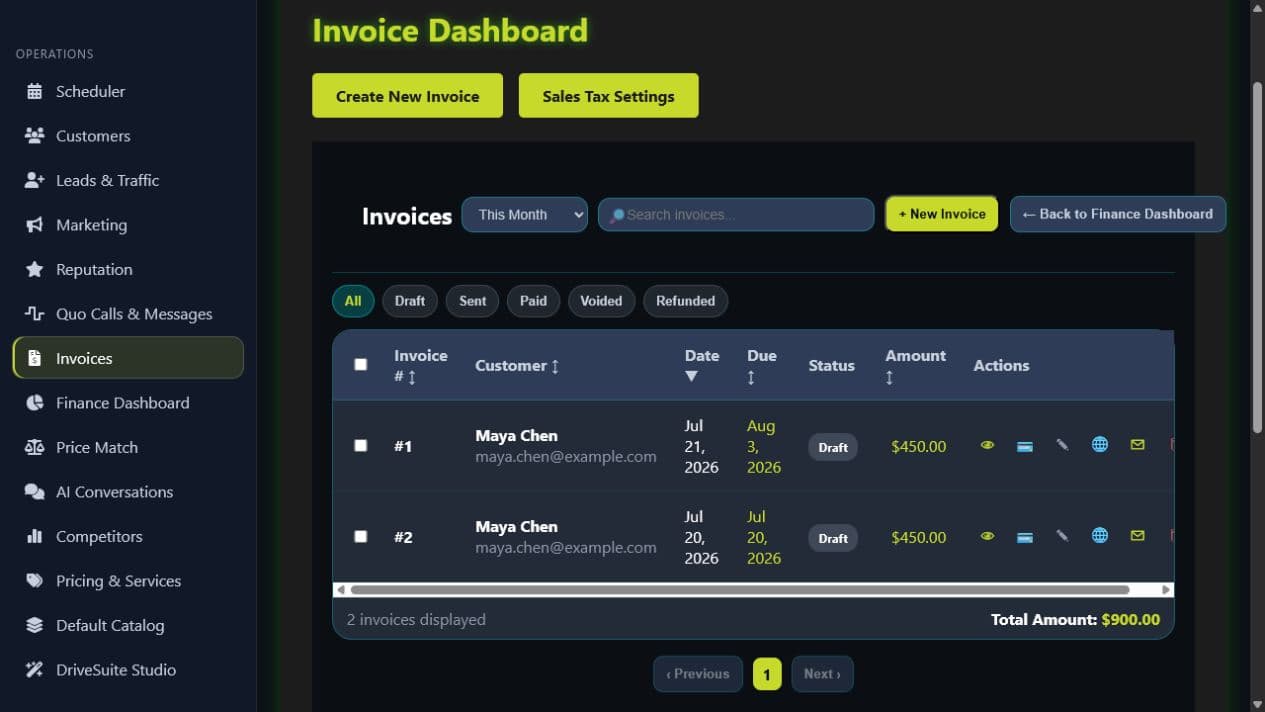
Follow vehicle selection, tint configuration and available times. This walkthrough stops before contact details and booking submission.
Synthetic demo data. Silent video with on-screen text and English captions.
From vehicle to available time. Follow the complete public booking flow in the current DriveSuite demo.
Start with the vehicle. Year, make, model, trim, body style and color shape the journey.
Choose the work. Explore the demo shop's configured automotive services.
Ask the right questions. The intake captures package preferences and existing tint.
Set clear expectations. Compare Daily Driver and Industry Standard installation finishes.
See what's included. Full Sides & Rear shows the seven included windows for this sedan.
Compare film and price. Evolve $750 CeramicIR $550 Carbon $400 Prices shown for this vehicle and finish.
Make your selection. This example chooses SunTek CeramicIR with the Industry Standard finish.
Keep the package simple. Add compatible extra panels, or continue with the included windows.
Keep context visible. State and glass type stay explicit. The mirror assumption is labeled unverified.
Review the VLT estimates. Film percentage and glass affect the estimate. Conflicts stay visible; this is not certified compliance.
Choose each window group. Front windows, rear sides and rear windshield can be reviewed separately.
Check the complete build. Finish, coverage, film, shades and the $550 total are shown together. This demo selection includes warnings.
Review the visit. The vehicle, service, required disclosures and demo location stay together.
Find an available day. The calendar loads live availability for the configured three-hour service.
See available time slots. The walkthrough stops here, before contact details and booking submission.
Explore DriveSuite. This demonstration stops before contact details and booking submission. drivesuitecrm.com
Clear answers
No. DriveSuite is focused on automotive appearance shops that need vehicle-aware quoting and booking, with connected CRM records around that workflow.
Pricing depends on the shop’s configured catalog and available vehicle data. Package, panel, labor, add-on, and follow-up fallbacks can be used when a vehicle-specific path is unavailable.
DriveSuite includes every available feature for 30 days with no credit card required, then costs $79 per month. Beta Free is available only when assigned by DriveSuite administration.
Public beta
Start with every DriveSuite feature for 30 days—no card required—then continue for $79/month. Assisted setup helps configure your catalog, pricing, resources, and scheduler.